hurl
Website: https://hurl.dev
Author: Orange-OpenSource
Alternative to: curl
Language: Rust
This page last updated:
hurl is a command line tool that executes HTTP requests defined in a simple, easy-to-read plain text format. It enables testing, debugging, and scripting of HTTP APIs with support for chaining requests, capturing response values, and asserting on response content.
Features
- Execute HTTP requests in plain text format
- Chain multiple requests together with variable passing between them
- Capture values from responses for use in subsequent requests
- Comprehensive testing assertions for status codes, headers, JSON/XML body content
- Support for REST, SOAP, GraphQL, and HTML APIs
- Built-in performance and load testing capabilities
- Multiple output formats including HTML, JSON, JUnit, and TAP for CI/CD integration
- Basic authentication and custom header support
- Form data and multipart file upload support
- Template variable substitution and environment variables
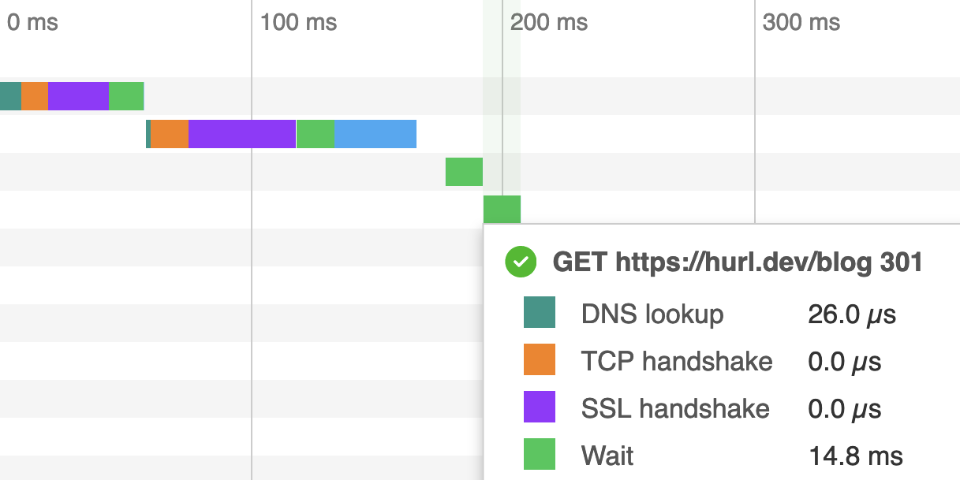
Basic usage
# Execute a simple HTTP request from a file.
hurl request.hurl

# Test with assertions on response status and body.
hurl --test api-test.hurl

# Generate an HTML report for CI/CD pipelines.
hurl --html report.html tests/*.hurl

# Execute requests with environment variables.
hurl --variable base_url=http://localhost:8000 test.hurl
Request format
hurl requests are written in a simple format that's easy to read and version control:
GET http://httpbin.org/get
HTTP 200