jmp
Project: https://github.com/gholmes829/Jmp
Author: Grant Holmes
Alternative to: cd
License: MIT
Language: Python
This page last updated: 2026-03-29
jmp replaces the traditional cd command with a smarter navigator that
searches your filesystem using regex patterns. Instead of typing full paths,
you provide a pattern and jmp performs a breadth-first search to find and
jump to the best matching directory.
Navigation supports both simple prefix matching and full regex expressions.
You can chain multiple terms to drill down through nested paths — for example,
jmp Projects Diviner core navigates into a deeply nested subdirectory in
one command.
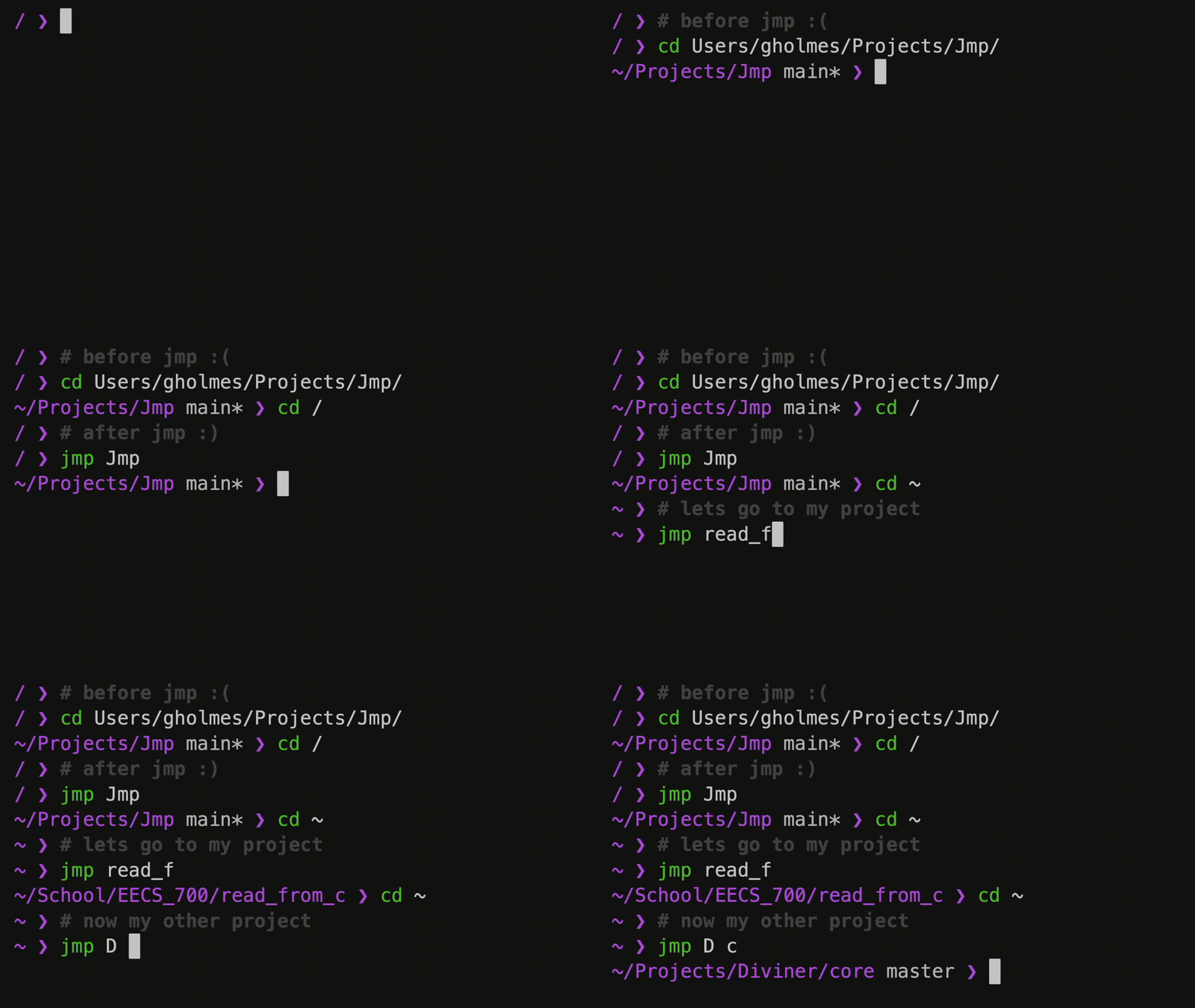
jmp also supports a blacklist to exclude directories from searches, configurable search depth, and a system of aliases for frequently visited paths. It has no external dependencies, relying only on the Python 3 standard library.
Basic usage
jmp a               # Jump to the first directory starting with 'a'.
jmp ".*src$"        # Jump to a directory ending with 'src'.
jmp Projects api    # Navigate into Projects, then api.
jmp -h              # Show help.