procs
A modern replacement for ps with colored output, advanced search, and process tree visualization.
Project: https://github.com/dalance/procs
Author: dalance
Alternative to: ps (See 2 others)
Language: Rust
This page last updated:
procs is a modern replacement for the ps command that makes process inspection more intuitive and powerful. Written in Rust, it provides colored, human-readable output that automatically adapts to your terminal theme while offering advanced searching and filtering capabilities across multiple columns simultaneously.
Beyond basic process listing, procs includes enhanced features like TCP/UDP port detection, read/write throughput monitoring, Docker container name resolution, and detailed memory statistics. It supports both interactive and watch modes for real-time monitoring, tree view for process hierarchies, and flexible column sorting and customization through configuration.
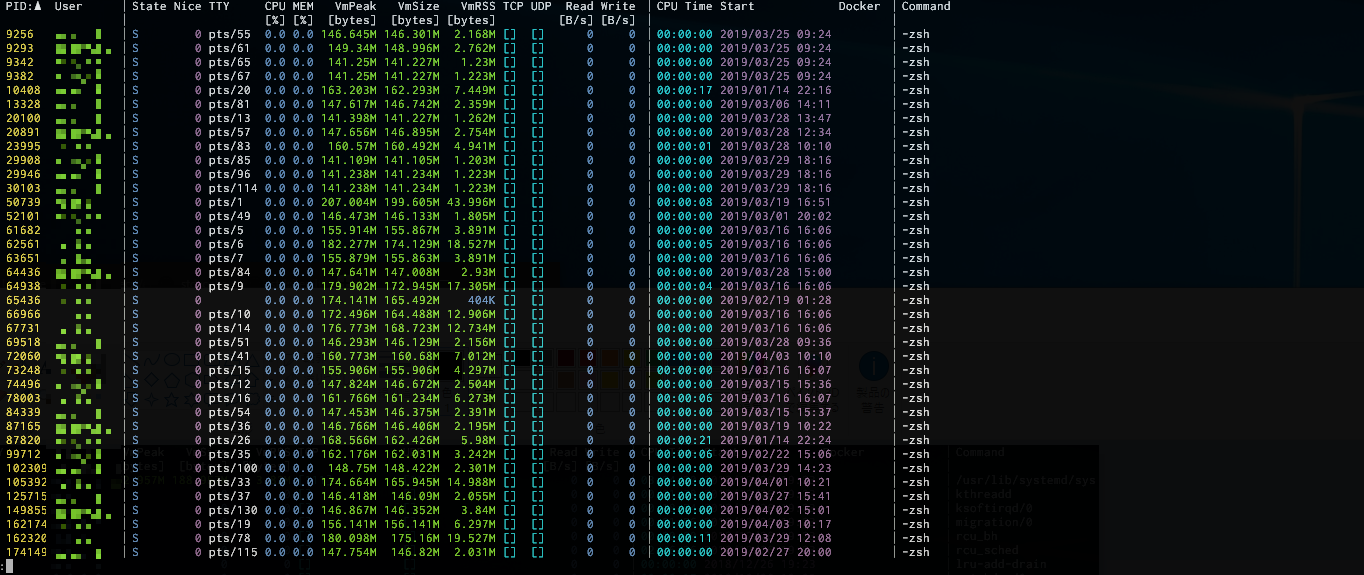
Basic usage
# List all processes with colored output.
procs

# Search processes by name across multiple columns.
procs firefox

# Show process tree with hierarchical view.
procs --tree

# Monitor processes in real-time, updating continuously.
procs --watch

# Search by TCP port.
procs --by-port 8080