tig
A text-mode interface for Git that functions as a repository browser and staging assistant.
Tig is an ncurses-based text-mode interface for Git that brings Git repository browsing into the terminal. It primarily serves as a Git repository browser, displaying commit logs with visual graphs, diffs for each commit, and file trees at specific revisions. Beyond browsing, tig can assist in staging changes for commits at the chunk level, making it a powerful tool for interactive staging workflows.
The interface is highly keyboard-driven, supporting both Vim-style navigation (j/k for up/down) and standard arrow keys. Tig displays multiple views including main view (commit history), diff view (changes in selected commits), stage view (interactive staging), blame view (file authorship), and tree view (repository file browser at a given commit).
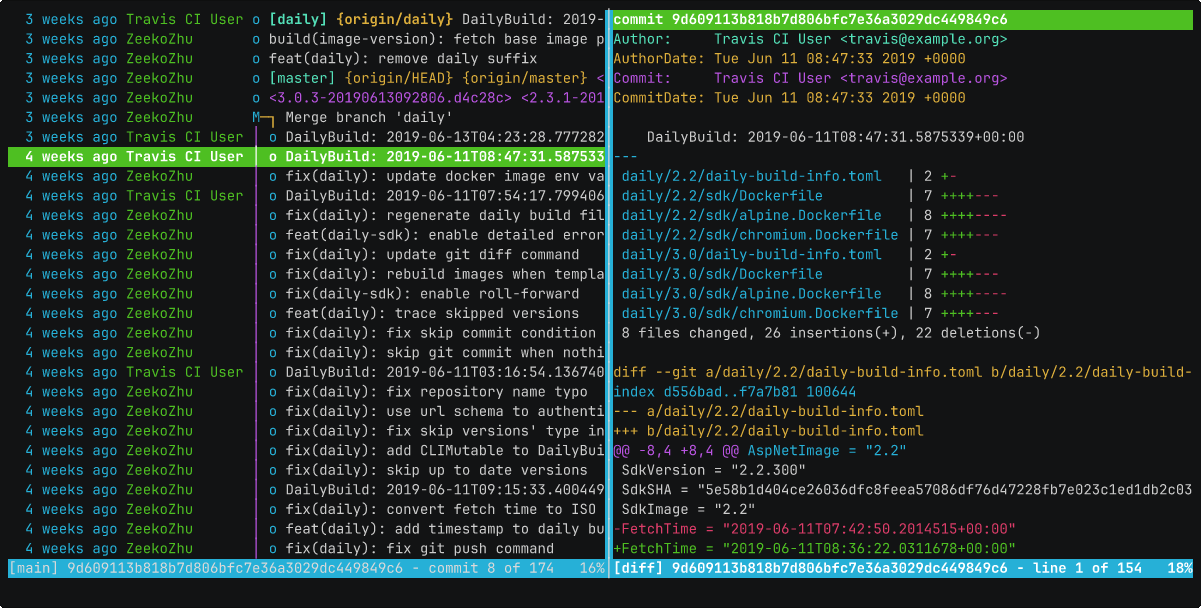
Basic usage
# Launch tig to browse the current repository.
tig

# Open tig showing all branches.
tig --all

# Open tig showing status of staged and unstaged changes.
tig status

# Use j/k to navigate, Enter to view details, q to quit.
# Press m to enter stage view for interactive staging.