bpytop
A Python-based resource monitor with real-time graphs for CPU, memory, disk, network, and processes.
Author: Jakob P. Liljenberg
Alternative to: top (See 10 others)
Language: Python
This page last updated:
bpytop is a Python resource monitor with a game-inspired terminal UI and full mouse support. It displays live graphs for CPU, memory, disk, and network alongside a sortable, filterable process list — all in a single interactive screen.
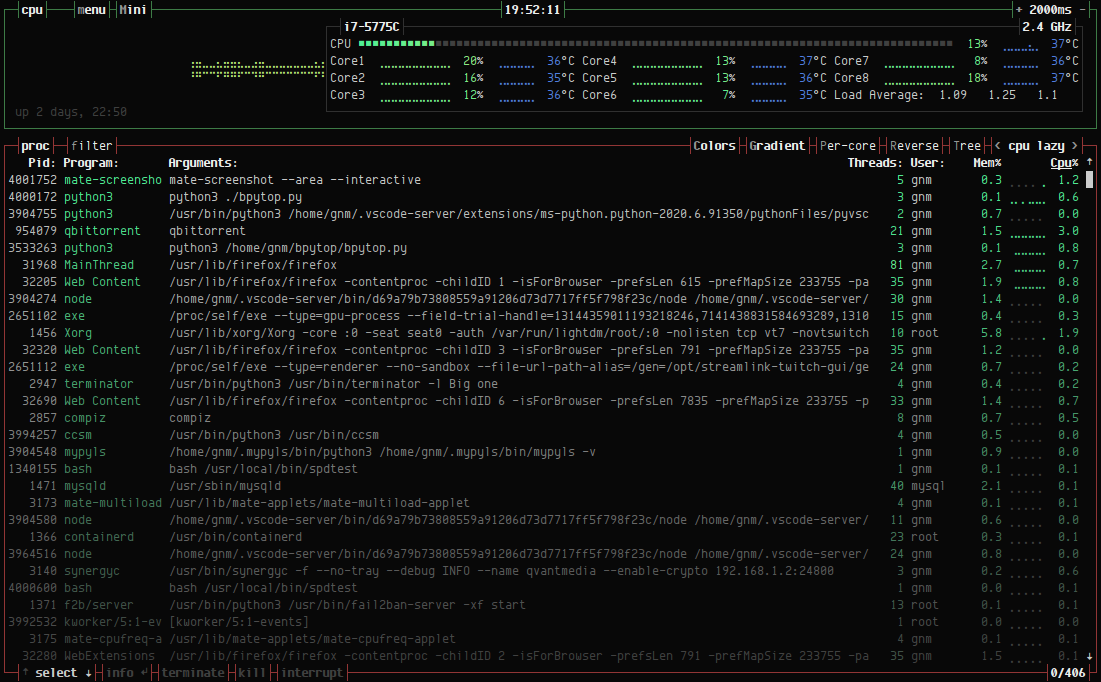
The process list supports filtering, sorting by multiple criteria, and
sending signals (SIGTERM, SIGKILL, SIGINT) directly from the interface.
Network graphs auto-scale, disk read/write speeds are tracked in real
time, and temperature monitoring is available via psutil or lm-sensors.
All configuration is done from within the UI and stored in
~/.config/bpytop/.
bpytop is the middle entry in a trilogy by the same author: it succeeded the Bash original bashtop and was itself succeeded by the C++ rewrite btop.
Basic usage
bpytop          # Launch the monitor.
bpytop --help   # Show command-line options.